Translate:

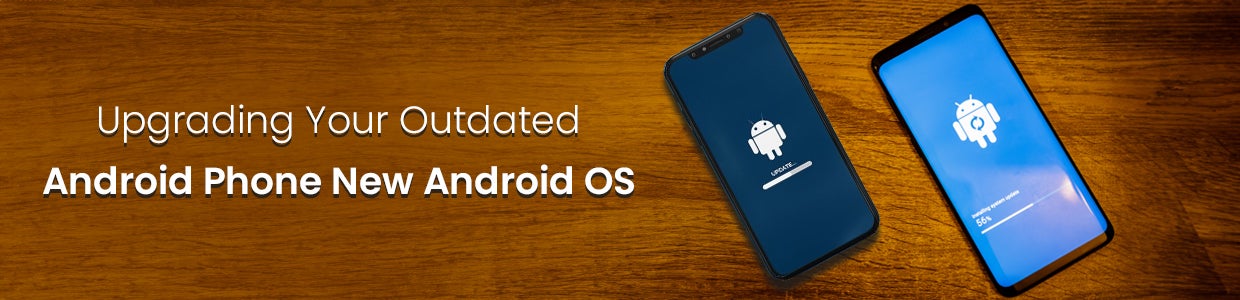
How To Run A New Android OS On Your Outdated Android Smartphone
One of the biggest advantages of Android's open-source nature is the ability to prolong the life of older phones through custom ROMs. Since most Android smartphones only receive 1-2 major software updates from the manufacturer, phones that are a couple of years old typically run outdated versions of Android. However, installing a custom ROM can upgrade an aging Android device to a newer OS version with improved features and security.
However, installing a custom ROM requires unlocking the Android phone's bootloader, which voids its warranty. If the complex process is not executed correctly, it can permanently damage the device. So, caution must be exercised when attempting to replace the original firmware. Thorough research and an understanding of the involved risks are highly recommended beforehand.
This guide serves as a starting point to help familiarise you with custom ROMs and their installation process to revive aging phones. However, we advise checking additional resources online specific to your phone's model for in-depth, step-by-step flashing instructions and troubleshooting. With some technical diligence, custom ROMs can give your old Android phone a new life.
Executive Summary
Custom ROMs remain one of the most cost-effective ways to extend the life of an ageing Android device. Instead of buying a new handset every time the manufacturer stops pushing updates, users can flash an alternative, open-source build of Android - such as LineageOS, crDroid, or a privacy-hardened OS - to unlock newer software, tighter security patches, and a smoother, bloatware-free experience.
The process involves unlocking the bootloader, flashing a custom recovery, backing up the existing system, and installing the new ROM along with Google Apps (GApps). While the steps carry real risk (voided warranty, potential bricking), a careful, well-researched approach can turn a stagnant, unsupported phone into a device that feels years newer - at zero hardware cost. This makes custom ROMs especially relevant in 2026 as manufacturers extend software-support windows, privacy concerns rise, and the average smartphone replacement cycle stretches beyond two-and-a-half years.
What is a Custom ROM and Why Should I Want One?
A custom ROM is essentially a customized version of the Android operating system that you can install to replace the default software your phone came with. ROMs are often more optimized, removing the bloatware that came pre-loaded while offering newer features from more recent Android versions.
The main benefits of using a custom ROM include:
Access to Newer Android Versions: Phone manufacturers and carriers are notoriously slow at providing OS updates. With a custom ROM, you can upgrade to a newer Android version adding features and security patches.
Improved Performance: Stripping out manufacturer bloatware and customizing the OS to your device's specific hardware often results in faster, smoother performance.
Customization Options: Customize to your heart's content! Change boot animations, icons, themes and more to make your device uniquely yours.
Prolong Your Device's Life: Breathing new life into last decade's device means you can hold onto it for a while longer before an expensive upgrade.
Also Read - Top 10 Smart Mobile Phone Brands in India 2025
Will My Phone Work With a Custom ROM?
Most Android devices can run a custom ROM but your options will depend on factors like:
Is your device's bootloader unlockable? The bootloader determines what software loads when you turn on your device. An unlocked bootloader allows loading a custom ROM.
Does the device have an active development community? You'll need to find a ROM specifically made for your device model. Popular phones tend to have more options.
How much storage does your phone have? Custom ROMs and the apps they support take up storage space. Generally 8GB or more is best.
For older or lesser-known devices, ROM options may be more limited. But with such a wide array of Android phones out there, there's a good chance you can extend your phone?s viability with new software! Now let's get that upgrade going...
Step 1 - Charge Up and Back Up Your Phone
Before getting started, make sure to fully charge your device - flashing ROMs can take a while, and losing power mid-way rarely ends well! You'll also want to back up any data that you want to keep. Your installed apps and their data will be erased once you flash a custom ROM, though you can reinstall from the Play Store later.
To back up your files, photos, music, and more, connect your phone to a computer. Your device should appear as an external drive where you can copy files over to save them. Apps like SMS Backup & Restore can preserve your text messages before wiping the phone.
Step 2 - Unlock the Bootloader
With your data secured, it's time for the real work. The first step is unlocking your bootloader to allow loading custom firmware. Different manufacturers have different methods for safely doing this, so search "[your phone model] bootloader unlock" to find instructions. Just remember, unlocking your bootloader will void any remaining warranty and can brick your device if things go wrong!
Once unlocked, though, you'll be able to flash all sorts of wonderful things to your phone...which brings us to step two!
Read the Article for Top 10 Gaming Phones in 2025: Prices, Features, and Future Prospects
Step 3 - Flash a Custom Recovery
A recovery is like a mini-operating system used for installing software updates, backups, and other system management tasks. For our custom ROM ambitions, we'll want to replace the stock recovery with a customizable one like TWRP or ClockworkMod (CWM) recovery. These give us more options for backups and installing ROMs from zip files.
To flash your recovery, you'll need to enter Fastboot mode on your phone, connected by USB to a computer:
1. Reboot your phone into fastboot mode (holding Volume Down + Power works on many devices)
2. Verify your device when it appears on the computer
3. Use the Fastboot tool to "flash" your recovery file
Also Read- Upcoming Mobile Phones in India 2026: Expected Prices, Features & Launch Dates
Step 4 - Make a NANDroid Backup
Now we're in business! With an unlocked bootloader and custom recovery ready, it's time to upgrade your OS. But first, an important safeguard - making a complete NANDroid backup of your current system. This makes a copy of your entire OS that you can restore later should anything go wrong with your shiny new ROM.
Reboot into recovery mode then use the backup function to create your NANDroid backup. Also consider backing up apps with Titanium Backup - you can restore these later more easily than redownloading everything!
Step 5 - Download and Flash Your New ROM!
Time for the fun stuff! It's finally time to flash a custom ROM. Do some browsing on sites like XDA Developers to explore your options - popular choices include CyanogenMod, LineageOS, and Paranoid Android. Look for ROMs specifically made for your device's model number to avoid issues.
When you've found "the one", download it on your computer, then transfer the zip file to your device storage. Reboot into recovery mode again, select "Install" then locate your shiny new ROM file. Once flashed, reboot your device, and...huzzah! You'll be greeted by a brand-spanking new Android OS!
Step 6 - Install Google Apps
One final essential step - flash the Google Apps package! Since your new ROM doesn't include GApps, grab the appropriate version and flash it just like you did the ROM. This will supply the Play Store for reinstalling apps, as well as other essential Google goodies like Gmail, Maps, and more.
Step 7 - Customize Away!
Congratulations on the successful upgrade. Welcome your renewed phone into the modern Android era! Take some time to configure your settings and preferences under the new OS. Reinstall apps from the Play Store to tailor your phone to be just how you like it. Perhaps try out some theming options with your fancy new custom ROM capabilities!
By carefully unlocking, backing up, and flashing new systems, you've extended your beloved phone's viability by years. Here's to enjoying your "new" device and making more memories to come! When the next time comes to upgrade, remember there are always custom ROM options to keep your old phone feeling fresh.
Industry Trends and Recent Data (2026)
The custom ROM and broader Android device ecosystem have evolved noticeably heading into 2026. Here are five trends shaping the space:
Shift from mass-market appeal to privacy-first niches. Broad consumer interest has moved toward AI-integrated stock software, but a dedicated niche now drives custom ROM demand around privacy, security, and "de-googling," with builds like GrapheneOS, LineageOS, and /e/OS leading that segment.
Longer device ownership is the new normal. The average smartphone replacement cycle in the U.S. has stretched to just over 2.5 years, with manufacturers such as Samsung, Google, and Fairphone now offering 7 - 8 years of software support - a trend that directly increases the pool of phones worth reviving with a custom ROM once official support ends.
Android's fragmentation problem keeps custom ROMs relevant. Android ships across devices from hundreds of manufacturers, each running its own customization layer (Samsung One UI, Xiaomi HyperOS, OPPO ColorOS), and each layer needs separate porting before an OEM will roll out a certified update - leaving many devices stuck on old versions long before hardware support runs out.
Gaming- and performance-focused ROMs are a rising category. Builds like Pixel Experience Plus and Evolution X are increasingly optimized for mobile gaming and Pixel-style polish, reflecting a shift from "keep it running" ROMs toward performance- and experience-driven customization.
Hardware sourcing is consolidating around a few flagship lines. Google Pixel devices remain the most sourced hardware for advanced custom ROM installs because of their unique support for high-security operating systems, while sourcing itself increasingly runs through specialized refurbishers rather than original manufacturers.
Give Your Old Phone a Second Life - Or Upgrade to a Fresh One
Custom ROMs prove that an "outdated" phone isn't necessarily a dead one - with the right OS, a device several years old can run faster, safer, and smoother than the day it launched. That said, not every phone is a good candidate: limited storage, no active developer community, or a bootloader that can't be unlocked all mean the smarter move might be a fresh device rather than a weekend spent flashing firmware. Whichever path fits your situation, it's worth weighing the time and risk of a custom ROM against the cost of a new handset with longer official software support built in from day one. If you decide a new phone makes more sense, browse the latest Android smartphones with extended update support to make your next upgrade last just as long.
Frequently Asked Questions
1. Is installing a custom ROM legal?
Yes, it's legal in most countries since Android is open-source, but it will void your phone's manufacturer's warranty.
2. Will a custom ROM work on any Android phone?
Not always - it depends on whether your bootloader can be unlocked and whether an active developer community supports your exact model.
3. Can I go back to the original stock Android OS later?
Yes, if you created a NANDroid backup before flashing, you can restore your original system software at any time.
4. What's the biggest risk of flashing a custom ROM?
The main risk is "bricking" the device - making it unusable - if the process is interrupted or done incorrectly, so following model-specific guides carefully matters.
5. Do custom ROMs come with Google apps like the Play Store?
No, most custom ROMs ship without Google Apps (GApps), so you need to flash the GApps package separately to get the Play Store, Gmail, and Maps.
Looking for the top-rated Smartphones?
Browse our complete collection and find the best product today.


Top Sellers