

24 hrs Delivery
Electrical & Appliances
Office Supplies
Industrial Tools
Agri & Gardening
Medical & Lab Supplies
Safety Supplies
Automotive
Construction Materials
Packaging & Material Handling
Printers
Showing 40 out of 1166 Products
Sort By:

By: Dcode
Available on Request
₹9,599
Powerful Functions & Multiple Interfaces
The Compact Design & Internal Power Supply Preserve Valuable Counter
By: Pantum
Available on Request
₹20,401
Automatic Duplex Printing
Usb & Ethernet Connectivity
By: Buvvas
Available on Request
₹5,604
Longest Printer Head Life
Low Noise & High Speed Printing
Usb, Ethernet, Wi-Fi
This Surprisingly Small Laser Delivers Exceptional Quality, Page After Page
By: Canon
Available on Request
₹118,018
This Product is Supplied from Canon Aligned Authorised Partner
All in One Cartridge System, Expandable Paper Capacity, Flexible Media
By: Xerox
Available on Request
₹396,937
Enhance Your Image with Colour & High Speed Colour Correction
Advanced Toner & High Quality Colour
By: Aiyin
Available on Request
₹7,999
OEM & ODM Service Support
Thermal Label Printer Ad240 Has Passed CE, UKCA and FCCID
By: Atpos
Available on Request
₹1,949
Mini Pos Printer, Small Size & Saving Space
Easy to Use on Your Desk & Support for a
By: Pantum
Available on Request
₹17,309
Efficient Copy Functions: ID copy, Receipt copy, N-up copy &
Composite Cartridge & One step install

By: Atpos
Available on Request
₹4,249
Receipt Printer Head has Over-temperature Protection to Make the Print
High Efficiency with Auto-cutter, the Fastest Printing Speed & Pos
By: HP
Available on Request
₹93,929
Built to Keep You & Your Business Moving Forward
For Service Related Support, Reach out at Customer Care Number-
By: KK Mart
Available on Request
₹16,519
Up to 50Mm Per Second, Providing Quick & Efficient Label
Equipped with An Lcd Screen for Easy Navigation & Operation
By: Swaggers
Available on Request
₹16,899
35-sheet Adf, Energy Efficient, Strong Security, Dualband Wi-fi & Mobile...
For Service Related Support, Reach out at Customer Care Number-
By: HP
Available on Request
₹24,929
For Service Related Support, Reach out at Customer Care Number-
Handle the essentials

By: Brother
Available on Request
₹41,699
Once the Order will be Placed Material will be Disptach
Fast Colour Print Speed Upto 18ppm
By: Brother
Available on Request
₹16,599
Function: High-Speed Laser Printer With Automatic Duplex (2-sided) Printing, Print,
Copy Speed: Up to 30cpm
By: Brother
Available on Request
₹15,749
Yield up to 2600 pages (black)
Automatic Duplex Printer
By: Epson
Available on Request
₹93,299
Automatic Two-Sided Printing & Built for the Environment
This Product is supplied from Epson Aligned Authorised Partner
By: Canon
Available on Request
₹17,500
Ease of Use, Ensuring Reliable & High-quality Prints
Flexible Connectivity & Enhanced Data Security
By: Epson
Available on Request
₹87,639
Low Power Consumption
LCD Screen
By: HP
Available on Request
₹47,699
This Product is Supplied from HP Aligned Authorised Partner
For Service Related Support, Reach out at Customer Care Number-
By: Epson
Available on Request
₹31,549
Page Memory: Up to 180 Pages & Fax Functions: Pc...
Epson Aligned Authorized Partner: Minimum Droplet Size: 3.3 Pl with
By: Canon
Available on Request
₹81,999
12.7Cm Colour Lcd Touchscreen
Single Pass Duplex Scan
Banner Sheets, Booklet Print, Cover/Separators, Draft Mode, Fit to Page,...
Mobile Printing: Apple AirPrint, Google Cloud Print, Android Mopria, Xerox...
Number of Print Cartridges: 2 (1 Each Black & Tri-Colour)
This Product is Supplied from HP Aligned Authorised Partner
By: Kyocera
Available on Request
₹148,582
This Product Doesn't Come with Any Warranty. The Customer Needs...
By: Xerox
Available on Request
₹588,726
Advanced Toner & High Quality Colour
Compact Design & Support for Mobile Access
Increased Reliability: Mean Time Between Failure of 25,000 Power-On Hours
Network Capability: Supports Both Serial and Ethernet Connections
By: Canon
Available on Request
₹20,299
Excluding Toner Cartridge
Toner Cartridge Yield is in Accordance with ISO/iEC 19752
By: Canon
Available on Request
₹6,599
Wireless Connectivity & Auto 2-Sided Printing
PIXMA Printing Solutions
Constant Power with a User Replaceable Battery
Built-In Intuitive OLED Display for Easy Printer Management
This Product Doesn't Come with Any Warranty. The Customer Needs...
By: Kyocera
Available on Request
₹18,449
150 Sheet Paper Capacity
Speeds up to 21 ppm
Built-in Connectivity for Seamless Connection
Secure Your Documents
Printer Built-in Barcode Fonts - Prints Barcodes
High Input Buffer Faster Printing
Supports Wi-Fi & Mobile Printing for Easy Wireless Use
Multitasking Supported: Yes
By: Epson
Available on Request
₹15,599
Low Energy Consumption (25 % Lower During Operation, 60 %
Uses High Quality Plain Paper, Since It is Easier for...
Hang on, Loading More
Related Printers Articles
Shop for The Best Quality Printers on Moglix
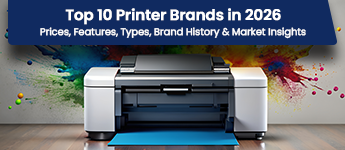
At Moglix, you will find an impeccable range of printers from the world’s most renowned brands. The range consists of high-performance printing devices with advanced features to cater to the specific printing needs of every user. You can explore the catalogs from reputed brands like HP, Canon, Epson, Brother, Samsung, and many more. Every brand has a diversified range of devices suitable for every budget and working space. Using our website’s intuitive design and advanced filters, you can easily narrow down your search to grab the best discounted deals on printers.
Need Help? Here are The Modern Types of Printers and Their Uses
Inkjet Printers
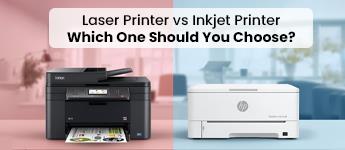
Inkjet printers are one of the most versatile printers for home use, producing the highest quality printouts with vibrant colors. What makes them so popular is their affordability, making them more successful than laser printers for personal or small business use. Though inkjet printers are slow while printing graphics, they produce highly detailed images. Moreover, they have low operational costs with high energy efficiency and less maintenance requirements.
Working: Inkjet printers spray ink on paper to print images.
Best for: homes, small office environments, and small-scale businesses.
Benefits: versatile, lower energy consumption, affordable, compatible with different printing papers, and provides high-quality output.
Laser Printers
Laser printers are more advanced than inkjet printers, offering high printing speed, better quality graphics, and a long lifespan. Well, with more features comes extra cost, and these printers are more expensive than traditional printer machines. However, laser printers are the best for high-speed printing when you have limited time to get high-volume printouts.
Working: a laser beam crafts the image on a drum, which touches the paper to print using toner.
Best for: commercial places, large offices, and wherever high-volume printouts are required.
Benefits: high-quality printing, speed, and top-grade graphics.
Thermal Printers
Thermal printers are usually small in size for printing high volumes and are commonly used in commercial spaces like malls or supermarkets for printing bills. With low maintenance requirements, these printers are preferred for their silent operations and speed. Moreover, advanced thermal printers have Bluetooth or Wi-Fi connectivity features that even help to send printout commands through smartphones.
Working: uses heat to print images on the papers having specialized coatings.
Best for: commercial places to print out: bills, receipts, barcodes, etc.
Benefits: fast, high print quality, affordable prices, and bulk printing.
3D Printers
A 3D printer is quite a fascinating product, which uses digital images as a reference to print or create 3D objects in real-time, using a variety of materials like plastic, fiber, metals, etc. In various industries like manufacturing, architecture, automotive, and more, because of its ability to create complex 3D objects like tools, components, and parts on demand.
Working: use multiple layers of materials to create physical objects using digital images.
Best for: creating customized components, parts, artistic objects, and prototypes.
Benefits: allows printing of 3D objects with the most complex designs and dimensions.
LED Printers
LED printers work in the same way as laser printers but have a light-emitting diode or LED in place of laser beams for printing images. These printers are popular because of their affordability and low maintenance, unlike laser printers. With a simple design, LED printers offer high-speed printing and quiet operations, making them the best choice for offices, educational institutes, and medical facilities. Moreover, they are built with portability to be used across various locations or workspaces.
Working: uses LEDs to create images on a photoreceptor drum to print on paper.
Best for: improving print quality in homes, schools, small offices, and more.
Benefits: photo printing, compact design, high-speed printing, and energy efficiency.
Multifunction Printers
Multifunction printers are also called all-in-one printers, and are designed to perform all functions including printing, scanning, xerography, and faxing. They are a robust option as printers for homes, offices, educational institutes, law and accounting firms, and various other commercial spaces.
Working: uses multiple components in a single device to perform all the functions including printing, scanning, copying, faxing, etc.
Best for: large space offices and educational institutes.
Benefits: cost-efficient, space-saving, and higher productivity.
Reasons Why You Should Own a Printer
Printing Convenience
Having your own printer offers a sigh of relief to the owners when there is a sudden need for printing reports or assignments, especially at home or in a personal office cabin. For the best experience, multifunction printers can be sources for multiple functions such as printing, scanning, copying, etc.
Privacy Protection
Scanning or copying sensitive documents at home with your personal printer is more secure and protected than using a common printer. It ensures that your information stays confidential and safe, and others cannot access it.
Cost Saving
Everyone has a monthly budget under which expenses should lie. In the case of bulk document printing, it's highly cost-efficient to have a personal printer, overpaying a hefty cost per page in printing shops. Moreover, advanced printers are designed to be multifunctional, having the ability to print, scan, and copy documents.
Hard and Soft Copy Conversions
Printing devices with scanning ability can help you to transform information from soft copy to hard copy and vice versa. You will be able to convert digital documents into physical copies using the advanced features of the printer and the other way around.
Mobile Printing
Modern printing devices come with Bluetooth and Wi-Fi connectivity, allowing users to give printing commands from a variety of devices, including smartphones, laptops, tablets, etc. This ability makes printing more accessible from different locations in your home or office without a physical connection. Ensure that you source a printer with the latest version of Bluetooth and Wi-Fi connectivity.
Top Printer Brands on Moglix to Choose From
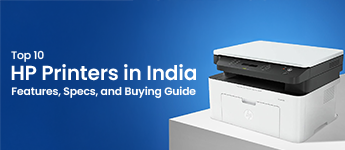
HP or Hewlett-Packard
HP is a renowned printer brand with a diversified range of models that have all the features you need for printing high quality documents or graphics. The brand aims to offer a reliable range of printer machines with a perfect balance of affordability and quality to all its users. They have reliable products for consumers of different budgets and specific requirements.
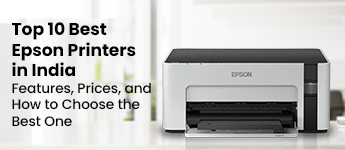
Epson Printers
EPSON is a prominent brand in the printing industry offering a wide range of printing devices and their parts in a cost-effective range. The brand utilizes top-grade materials to develop premium-quality printing devices that cater to the specific needs of every consumer. EPSON has classified its printers into various categories such as homes, offices, and industries. Where personal use printers are reliable and provide high-quality graphics, the higher range devices offer high speed for bulk printing.
Canon Printers
Canon printers are where quality meets professionalism. The company manufactures a robust range of printers that deliver printouts with enhanced visuals and details. With decades of experience in the industry, they have mastered the art of developing high-speed and reliable printing devices that have advanced features such as mobile printing, wireless connectivity, and detailed scanning.
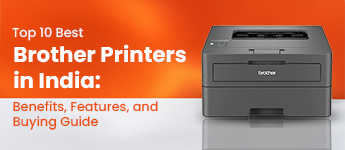
Brother Printers
Brother is an emerging brand in the printing industry, as their premium-built printers have proved why they deserve to be on the market. With a blend of advanced technology and expertise, they have captured a significant market share.
Top Features Your Printer Should Have
Having a printer is convenient, but without the necessary features, your productivity will be hindered, whether you’re using it in a home, office, or business environment. Let’s discuss the top few advanced features every printer should have:
Wireless Connectivity Options
Nowadays, wireless connectivity has become the most demanded feature in printers. It allows the users to give print commands from a distance without physical connection, that too from multiple devices like smartphone, tablets, laptops, etc. So, look for these wireless options in your new printer—Wi-Fi Direct, Bluetooth, or NFC (Near Field Communication).
Mobile Printing
Your printer should also support mobile printing, which makes it easy to print documents directly from mobile devices. For instance, Apple AirPrint app comes for ios devices, Google Cloud Print for Android devices, and various other printing apps from manufacturers like HP Smart, Canon PRINT, and Epson iPrint.
High-Quality Prints
Source a printer which provides high quality printing. For this, consider checking the print resolution or DPI or Dots Per Inch. The higher the DPI is, the higher print quality you will receive. For instance, if DPI is between 300-600, then it's considered good for printing documents, and if it’s1200 or higher, it is excellent for printing photos and graphics.
Why high-quality prints? A high-quality printer helps create visually enhanced and detailed graphics, which is best for printing assignments and project reports, showing professionalism in your work.
Duplex Printing
Duplex printing is a key feature your printer should have for cost efficiency and speed. It refers to the double-sided printing function which saves paper and overall printing costs. With reduced paper demand, the printing job becomes eco-friendly. Moreover, for large office space, you can also get a printer with an automatic duplex printing feature to save time with high-speed printing.
Multifunction Capabilities
Having a multifunction printer means you can print, scan, copy and even fax documents with a single device. Most commonly, offices and businesses are sourcing these types of printers for cost efficiency and saving space. Now, your printer must have these features to be called a multifunction device: high quality scanning, Automatic Document Feeder (ADF) which is used for copying, and even faxing.
High-Speed Printing
Another most crucial factor is printing speed, which can be determined as pages per minute or PPM. For generic office or personal use, you can consider a printer with 20-30 PPM, and for bulk printing jobs 40 PPM is commonly preferred.
Large Paper Capacity
For a future-proof deal, you may want to choose a printer with large paper capacity. A printer that has more paper capacity can reduce the need for frequent paper tray refilment. So, ensure that your printer either has multiple trays or a single high-capacity input tray that can hold over 250 sheets.
Efficient Usage of Ink or Toner
Over time, the cost of refilling ink or toner adds up to the total operational cost of the printer. Make sure your new model is cost-effective and uses less ink to provide more yield. For this you can check for features like high-yield cartridges, ink tank system, and eco mode printing.
Why Buy Your New Printer from Moglix?
Moglix is one of the largest e-commerce platforms in India, which has over thousands of products to explore. You will find a diverse range of products in every category. We have a dynamic product line of modern printers that caters to the printing demands of every user and environment. Whether you are in search of a personal printer machine or a multi-function printing device for large office space, you can get everything at discounted prices. Look at these points to know the benefits of shopping from Moglix:
Competitive Prices: Our platform boasts a wide range of products from famous brands that provide competitive prices to customers, including discounted deals and cashback offers.
Extensive Range: Moglix has an extensive range of printer machines for customers to explore and find the best one for their specific needs.
Trusted Brands: You can get the best deals from popular printer brands like HP, Epson, Brother, and Canon.
Advanced Filters: The intuitive website of Moglix helps you narrow down your search for the best printers with smart filters, to classify products based on prices, brands, discounts, function type, ratings, and price.
Comparison: For techie minds, our platform has a smart comparison interface, which allows us to easily differentiate between multiple products at once.
Frequently Asked Questions about Printers
What is the best colored printer - Laser or ink?
Color laser printers are a bit expensive as compared to inkjet or ink tank printers, However, the Cost per page of laser printers is less than injet printers. Thus, depending upon your usage, you may select ink or laser printer.
How long can a color laser printer toner last?
Laser toner cartridges page output varies from model to model (starts from 1000 pages to 20000 pages).
Which printer should I buy for home use?
Depending upon your page output and specifications, you may select a printer.
Can I use an Epson black color in a Canon printer?
No, Epson black color ink cannot be used in a Canon printer.
How do I troubleshoot a printer that is not working?
If your printer is not working, try restarting it, checking the connections, and ensuring that the printer is set as the default printer. Make sure the ink or toner is not empty and the paper is properly loaded. Also, check the print queue and remove any stuck jobs.
What is the difference between an inkjet and a laser printer?
Inkjet printers use tiny droplets of ink to print on paper, while laser printers use toner, which is a fine powder that is fused to the paper using heat. Inkjet printers are typically more affordable and better for printing photographs and color documents, while laser printers are generally faster and better suited for text-based documents.
How often should I replace the ink or toner cartridge in my printer?
This depends on the usage of the printer, but as a general rule, you should replace the ink or toner cartridge when you notice a decline in print quality or when the printer indicates that the cartridge is running low. Regularly checking the ink or toner levels and replacing the cartridge when it is low can help to ensure that your printer is always working at its best.
Top Selling Printers Price List in India
This data was last updated on 8/13/26.

Great Value
Most popular brands with widest range of selection at best prices.

Nationwide Delivery
Over 20,000 pincodes serviceable across India.

Secure Payment
Partnered with India's most popular and secure payment solutions.

Buyer Protection
Committed to buyer interests to provide a smooth shopping experience.

 +91 9999049135


MOGLI LABS (INDIA) PRIVATE LIMITED © 2026 Moglix.com. All Rights Reserved.