

Translate:

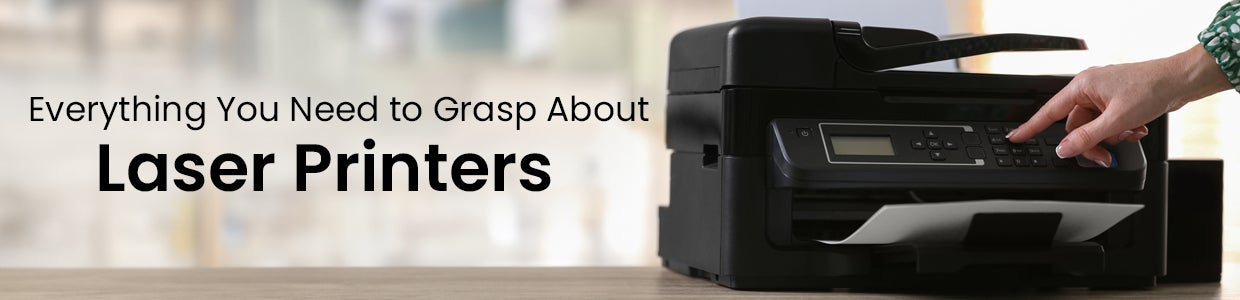
Everything You Need to Grasp About Laser Printers and Their Operation
Laser printers have become an essential piece of office and home technology equipment. Their speed, print quality, low cost per page, and durability make them a top choice for personal and professional use. But how exactly do laser printers work? This guide will walk you through the key aspects of laser printer operation and help you determine if a laser printer fits your needs.
Which Is Better, Inkjet Or Laser Printer?
When deciding between inkjet and laser printers, there are a few key factors to consider:
Cost -Inkjet printers are typically cheaper upfront, but laser printers have a lower cost per print overall due to cheaper toner and drum replacements. This makes laser better for high-volume printing.
Speed - Laser printers are significantly faster at printing than most consumer inkjets. Their first page comes out faster, with quicker print speeds in pages per minute.
Print Quality - For photos and intricate graphics, inkjet has better print quality. But laser matches or exceeds inkjet quality for everyday text and documents, especially at higher resolutions.
Ink Permanence - Laser toner fuses to paper, making it more smudge, water, and fade resistant than inkjet prints. Important for archival documents.
Laser printers excel at fast black-and-white document printing with crisp text output. Inkjet offers affordable colour printing for photos and graphics.
What Is The Working Principle Of A Laser Printer?
Laser printers use static electricity and heat to fuse dry toner onto paper in the printing process. Here are the key components and steps:
1. Laser Unit - A laser beam is generated and aimed at a rotating mirror polygon. As it spins, the mirror reflects the beam across the drum.
2. Photoconductor Drum - The drum is given an overall positive static charge. Wherever the laser strikes, areas discharge to negative, forming a latent image.
3. Toner Cartridge - Positively charged toner particles are attracted to the negative discharge areas on the drum, developing the image.
4. Transfer Belt - Paper passes below the drum, pulling the toner image onto it through static charge differences.
5. Fusing Unit - Heat and pressure bond the toner into the paper to finalise the print.
6. Cleaning Unit - The residual toner on the drum is cleared off before starting the next print page.
Also Read - Five Best Printers for Home and Office Use with Key Specifications
What Are Laser Printers Best Used For?
Laser printers excel at printing high volumes of black-and-white documents with crisp, professional-looking text. Common applications include:
Office memos, letters, forms, invoices and other paperwork
Multi-page reports and proposals with mixed text/graphics
Black and white photos and illustrations
High-quality text printing for marketing literature
Durable printed labels and envelopes
A monochrome laser printer is a smart fit if you have basic everyday printing needs or want sharper text output. They are speedy for high workload environments and have a very low cost per print when printing thousands of pages a month.
What Are The Types Of Laser Printers?
There are three main classifications of laser printers:
1. Monochrome Laser Printers - Single black toner for fastest speed and lowest page cost. No colour printing is supported.
2. Color Laser Printers - Four toner cartridges (black, cyan, magenta, yellow) provide colour printing but at reduced print speeds. More expensive than monochrome lasers.
3. Multifunction Laser Printers - Include scan/copy functionality alongside colour or monochrome printing in a single integrated device. Most also support faxing, printing from USB flash drives, etc.
Within these also exist a range of models from small personal lasers for light use to heavy-duty office workgroup printers capable of very high monthly print volumes. Print resolution, input tray capacity, toner yields and duty cycles differ across models.
Laser Printer Brands and Examples
Well-known brands offering quality laser printers include:
HP - Models like the HP Neverstop monochrome laser printer offer an inexpensive entry point with ultra-low operating costs.
Canon - From compact single-function devices to advanced network-ready multifunction colour laser printers.
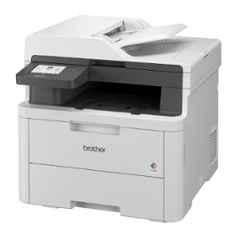
Brother - Their HL-L series provides trusted, reasonably priced monochrome and colour lasers for home offices.
Xerox - Leading mid-range to enterprise-class office laser printers prized for their solid productivity and print speeds.
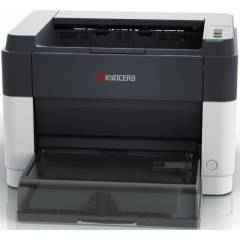
Lexmark, OKI and Kyocera also offer reputable laser printers spanning personal, professional and industrial use cases.
No matter your budget or workload demands, one of these trusted manufacturers likely has a laser printer model suited for you.
Also Read- The Top 5 Printer Brands in India: Key features and prices
What Does "Laser" Stand For?
Laser started as an acronym for Light Amplification by Stimulated Emission of Radiation. This complex name describes the unique way lasers can generate an intense beam of coherent, monochromatic light for precision use in applications like printers, cutting/engraving machines, surgery devices, and much more.
The 7 Stages of the Laser Printing Process
Now that you understand the central components of a laser printer let?s explore the seven high-level stages that take place with every printed page:
1. Initial Drum Charging - A corona wire or primary charge roller applies an overall positive electrical charge across the surface of the photoconductor drum to ready it for imaging.
2. Laser Beaming - As the polygon mirror spins, it reflects a laser directly onto the drum wherever black areas will print, erasing electrical charges in those spots only.
3. Development - The toner cartridge applies a negative charge to toner particles that cause them to cling onto the now negatively charged image areas on the drum, developing the print?s text/images.
4. Transfer - Paper within the printer gains a stronger positive charge than the drum?s, so it pulls the toner off onto the page when they make contact.
5. Fusing - Heat and pressure bond the dry toner into the fibres of the paper to finalise the print.
6. Drum Cleaning - A rubber blade wipes residual toner off the drum surface to prepare it for the next print.
7. Output - Finally, the finished print exits the laser printer automatically or via an output tray.
The initial beat of the drum and coordination of fusing toner make crisp, professional documents possible in seconds per page.
Also Read- What are the Types of Printers and their Uses?
Who Invented the Laser Printer?
The first operational laser printer released to market was the IBM 3800 in 1976. It was large, bulky and cost hundreds of dollars at the time!
However, the patented concepts behind it were developed years earlier. The founding patent for xerographic laser printing was filed in 1969 by Gary Starkweather after conceiving the idea of laser ?painting? images onto xerographic photoreceptors. This was built upon the previous xerographic photocopy work of the 1950s from inventor Chester Carlson.
After a series of technical breakthroughs, Starkweather collaborated with other Xerox scientists through the 1970s. Eventually, in 1981, Xerox released the first reasonably affordable desktop laser printer called the Star 8010!
Finally, by 1984, Hewlett Packard released the first mass-market laser printer, the HP LaserJet series, at just $3,495 with greatly reduced size, noise and special power requirements which helped initiate widespread laser printer adoption.
Laser printing has enabled faster, higher-volume printing at a reasonable cost for text documents. Today, laser printers deliver crisp black-and-white output with colour lasers, bringing affordable colour. With speed, durability and excellent cost efficiency, laser printers should be strongly considered as your next upgrade, personally or at the office.
As India's largest B2B marketplace, Moglix offers convenient access to various printing solutions from top brands at competitive prices. You can find monochrome, colour and all-in-one printers on Moglix. All these printers are equipped with features like automatic duplexing, wireless connectivity, and security controls. Take your enterprise or home office productivity to the next level by upgrading to an industrial-grade laser printer from moglix.com!
Top Sellers


New Arrivals

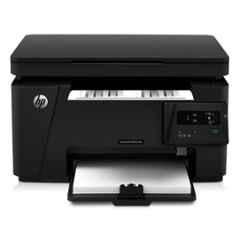
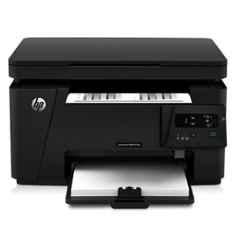
HP MFP M126a LaserJet Pro Multi-Function Printer, CZ174A (Pack of 3)
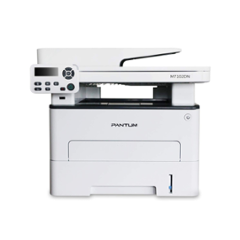
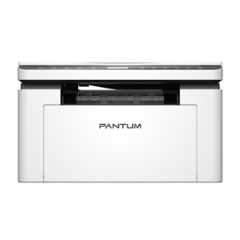
Pantum BM2319NW Multifunction Monochrome Laser Printer with Scanner


 +91 9999049135

