

Translate:

हार्ड डिस्क के बारे में सब कुछ: खरीदने से पहले विचार किए जाने वाले प्रकार और कारक
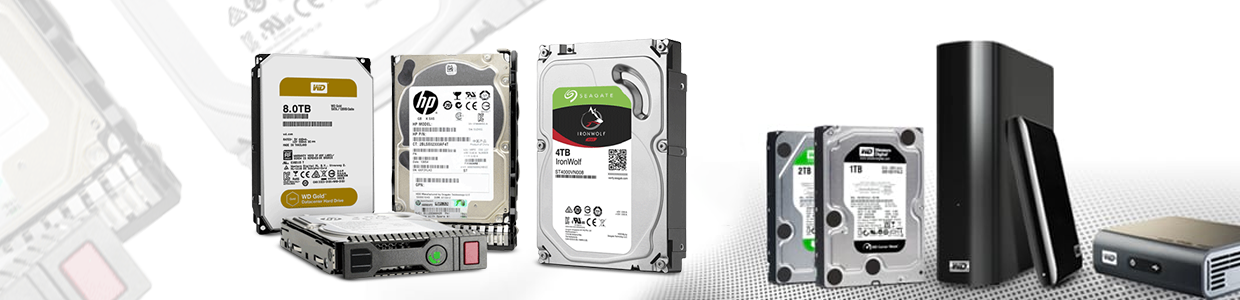
एकहार्ड डिस्ककंप्यूटर के लिए एक भंडारण उपकरण है। ये एक चुंबकीय कोटिंग के साथ एल्यूमीनियम / कांच से बने डिस्क हैं, जो जानकारी संग्रहीत करते हैं। यह चुंबकीय भंडारण कंप्यूटर से अलग डेटा संग्रहीत होने का कारण है, रैम के विपरीत, जहां कंप्यूटर बंद होने के क्षण स्डेड ि खो जाती है।
एक चुंबकीय हेड का उपयोग चुंबकीय डिस्क के धुरी पर बाइनरी अंकों को लिखने के लिए किया जाता है जिसमें हार्ड डिस्क शामिल होती है। हार्ड डिस्क को पढ़ने और लिखने के लिए हार्ड ड्राइव की आवश्यकता होती है। कंप्यूटर स्थायी भंडारण के लिए इस हार्ड डिस्क ड्राइव (एचडीडी) का उपयोग करते हैं। इसमें कई हार्ड डिस्क, एक मोटर होती है जो डिस्क और एक सर्किट को स्पिन करती है। हार्ड डिस्क का उपयोग अक्सर एक हार्ड डिस्क ड्राइव को संदर्भित करने के लिए किया जाता है।
Why use a hard disk?
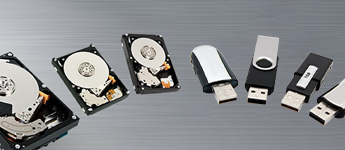
The biggest reason that people use hard disks instead of CDs or pen drives is because of the massive storage space. Hard Disks are also faster than the other storage devices. The memory is retained after the computer is turned off, which is another reason people use a hard drive as it is a much safer option.
The best part is it is economical. A hard disc price would be less than other big storage devices and it offers greater utility. Not only that, a lot of the functioning of the computer can be enhanced when using a hard drive.
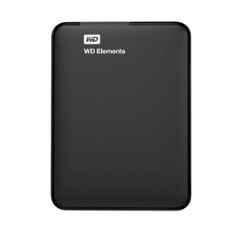
External hard drives are especially useful for backing up when you want to shift all the files from one computer to the other or need to format and want to retain your files. These drives are also used by editors who want to store a lot of digital information and media files. Hard disks are known to keep the quality intact. Hard disks are also popular among gamers, as games with their high resolution graphics take a huge space, external hard disks come in handy to store these and save the computer from clogging up.
Different types of Hard Disks/Hard drive-
There are a bunch of hard disks available for your usage. To buy the one that fits your needs, you must have complete information. So here are all the most prominent types of hard disk drives available:
External Hard Disk Vs Internal Hard Disk-
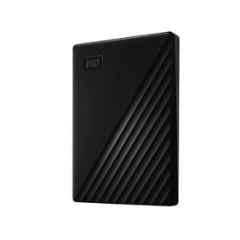
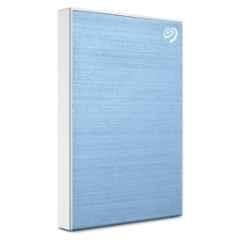
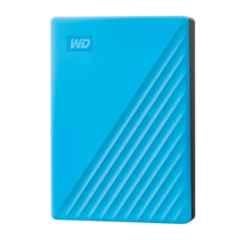
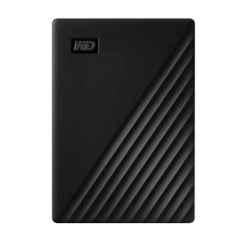
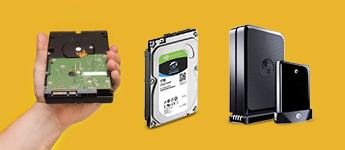
The major difference between an external and internal hard disk is that an internal hard disk is mounted inside the laptop or desktop, while an external hard disk is connected via a USB in most cases. A computer has to have one internal hard drive, otherwise the computer will not be able to retain information for usage. It is vital for the functioning of the computer.
Whereas, an external hard drive is extremely useful when it comes to transferring files and can act as an alternate storage. Both of these are a great addition for storage expansion. It completely depends on the user which one they prefer as per their need.
With advancement in technology there has been a constant change in the hard disk drives. There are a bunch of hard disks available, and at a reasonable hard disk price these will surely aid your storage demand.
Parallel Advanced Technology Attachment (PATA) -
PATA was the technology used in the first batch of hard drives. These are also called Integrated Drive Electronics (IDE) or Enhanced Integrated Drive Electronics (EIDE) drives. These are known to offer a common interface for all the devices including hard disks to connect to the computer. PATA hard drives have a data transfer rate 133 MB/s. But these only allow up to two devices to be connected at a time. These drives transfer data in parallel and simultaneously, and store data using magnetism.Serial Advanced Technology Attachment (SATA) -
Unlike PATA drives, SATA transfer data in a series. These are known to transfer enormous data at low speed. These also have a lower price compared to PATA and are used widely in computers now. SATA drives have a data transfer speed of 600 MB/s, thus their transfer speed is more. These drives are useful for backups and storing large files without high load servers. SATA drives also consume less power, which is a bonus!
हार्ड ड्राइव को हार्ड डिस्क ड्राइव और सॉलिड स्टेट ड्राइव में विभाजित किया जा सकता हैः
हार्ड डिस्क ड्राइव (HDDs) -
ये ज्यादातर कंप्यूटर डिवाइस में पाए जाते हैं। इनमें डिस्क या प्लेटों का एक बंडल शामिल होता है, जिस पर स्पिनर का उपयोग करके जानकारी लिखी जाती है। इनमें क्रांति की गति 15000 प्रति मिनट होती है, जो थोड़ी शोर-शराबे वाली हो सकती है। इनमें बड़ी स्टोरेज स्पेस है जो 4TB तक जा सकती है। शोर होने के अलावा केवल नकारात्मक पक्ष यह है कि ये भी बहुत अधिक बिजली की खपत करते हैं।
सॉलिड स्टेट ड्राइव (SSDs) -
HDDs के विपरीत इनमें कोई डिस्क नहीं है जो सूचना भंडारण के लिए घुमाने के लिए आवश्यक हैं। इसके बजाय, इनमें मेमोरी चिप्स शामिल हैं। डिस्क के रोटेशन के उन्ओरिजिनलन के कारण, ये कोई शोर नहीं करते हैं और काफी कम बिजली की खपत भी करते हैं। ये साइज में भी छोटे होते हैं। ये उन परियोजनाओं के लिए सबसे उपयुक्त हैं जिनके लिए निरंतर लेखन और पीयूनर्लेखन की आवश्यकता होती है, लेकिन इस पीयूनर्लेखन के कारण उनका जीवन कम हो जाता है।
अब जब उपलब्ध सभी प्रकार के ड्राइव स्पष्ट हैं, तो कंसंट्रेट करने के लिए अगली बात यह है कि आपको सबसे अच्छी हार्ड डिस्क पर जाने से पहले कारकों पर विचार करने की आवश्यकता है।
Things to look for while buying a hard disk:
Storage Capacity-
The most obvious factor to consider is the storage space. Depending on what you require in the hard drive, you would have to make a choice. The price for less space is less and goes up with more storage. Some of the common hard disk drive sizes are 500GB, 1TB, 2TB, 250GB...A medium storage drive would be perfect for storage expansion, backup and file transfer.
Transfer Speed-
Transfer speed is another important factor. A low transfer speed may get annoying if you are in a hurry and the transfer is taking ages. A SSD would transfer data faster than HDD. Transfer speed depends a lot on the connector as well, if it is external. For example if you want a high speed and you are using USB 2.0, chances are even if the HDD has a good speed the connector will reduce it. So, make sure to research about the speed of the USB type you are using.
Security-
The most important factor will always remain the security, more so now than ever, because of the risk computers possess due to the constant use of the internet. This exposure has made it important to invest in a hard disk that is encrypted. Some disks also come with a pin adding extra security. Beside this, physical security is also equally important. A good hard drive must have a secured casing to protect the chips from scratches or any other form of tempering as that might result in data loss.
Compatibility-
Whichever drive you are looking for, be it external or internal, make sure you check whether the drive will run on the OS of your computer. Many hard drives are made to work on particular systems, a drive aimed for Mac might not work properly on Windows. So to avoid this compatibility needs to be checked.
Durability and Portability-
Before buying a hard drive, one needs to keep in mind how extensively is this drive going to get used and what will be its life span. Also, if the drive is going to travel with you to places, you might also need one which can fit in your bag and can be easily carried, i.e., is portable. Lately, most hard drives are made portable due to the demand. In comparison, however, from the point of view of portability and durability a SSD would be a better option compared to HDD.
Conclusion:
Once all these factors are considered, you will be able to make a wise choice. Make sure that you do look up for the best brands on moglix as we noy only guarantee security but would also be giving warranties and other perks.
Top Sellers


 +91 9999049135

