

Translate:

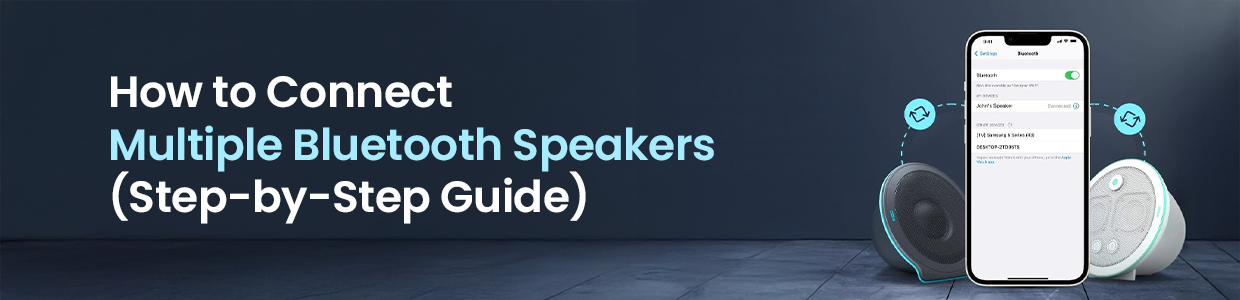
How to Connect Multiple Bluetooth Speakers (Step-by-Step Guide)
Listening to music on a single Bluetooth speaker is great-but connecting multiple Bluetooth speakers takes the experience to a whole new level. Whether you are hosting a party, setting up surround sound, or just want louder, fuller audio, learning how to connect multiple Bluetooth speakers is easier than you might think.
In this guide, we will walk you through different methods, devices, and tips so you know exactly how to connect to 2 Bluetooth speakers or even more at the same time.
Can You Connect Multiple Bluetooth Speakers at Once?
Yes-but it depends on your device and the speakers you are using.
Some smartphones, laptops, and speaker brands support built-in features that let you link multiple Bluetooth speakers, while others require third-party apps or speaker-specific pairing modes.
Let us break down the most common ways to do it.
Method 1: Use Built-In Phone Features
How to Connect to 2 Bluetooth Speakers on Android
Many modern Android phones (Samsung, OnePlus, Pixel) support dual audio.
Steps:
Open Settings
Go to Bluetooth
Pair the first Bluetooth speaker
Pair the second Bluetooth speaker
Enable Dual Audio (or similar option)
Once enabled, audio will play through both speakers simultaneously.
Best for: Samsung Galaxy and newer Android phones
Limitation: Usually limited to 2 Bluetooth speakers
How to Connect Multiple Bluetooth Speakers on iPhone
Apple allows multi-speaker playback using AirPlay and certain compatible speakers.
Options include:
AirPlay 2 speakers
Apple HomePod
Apple Music+compatible hardware
Steps:
Connect one Bluetooth speaker
Open Control Center
Tap the AirPlay icon
Select additional speakers
Best for: Apple ecosystem users
Limitation: Standard Bluetooth alone doesnt support more than one speaker
Method 2: Use Speaker Brand Pairing Modes
Many speaker brands have built-in technology designed specifically to link multiple Bluetooth speakers together.
Popular Examples:
JBL Connect / PartyBoost
Bose SimpleSync
Sony Party Chain
Ultimate Ears Double Up
How it works:
Connect one speaker to your phone
Press the brands connect or party button
Turn on the second speaker
Speakers sync wirelessly with each other
Best for:
Same-brand speaker setups
Often supports more than 2 speakers
Limitation: Usually doesnt work across different brands
Method 3: Use Third-Party Apps
If your phone or speakers dont natively support it, apps can help you connect multiple Bluetooth speakers.
Popular Apps:
AmpMe
Bose Connect
Ultimate Ears App
These apps create a network that allows multiple devices or speakers to play the same audio.
Best for: Mixed devices or older phones
Limitation:
May have slight audio delay.
Requires internet or multiple devices in some cases
Method 4: Connect Multiple Bluetooth Speakers on Windows or Mac
Windows 10/11
Windows doesnt natively support multiple Bluetooth audio outputs, but you can use:
Stereo Mix
Virtual audio drivers
External Bluetooth transmitters
macOS
Mac users can create a Multi-Output Device.
Steps:
Open Audio MIDI Setup
Click + and create Multi-Output Device
Select multiple Bluetooth speakers
Set it as the output device
Best for: Home setups and desktops
Limitation: Setup is more technical
Common Problems (and Fixes)
Audio Delay or Echo
Use speakers from the same brand
Keep speakers close together
Avoid mixing Bluetooth versions
Speakers Keep Disconnecting
Fully charge all speakers
Update firmware
Reduce interference (Wi-Fi routers, microwaves)
Cant Connect More Than 2 Speakers
Check device limitations
Use brand-specific apps
Consider a Bluetooth transmitter
FAQs About Connecting Multiple Bluetooth Speakers
Can I connect different brands of Bluetooth speakers together?
Usually no-unless you use third-party apps. Same-brand speakers work best.
How many Bluetooth speakers can I connect at once?
It depends:
Phones: typically 2
Speaker ecosystems: 10-100+
Apps: varies by platform
Does connecting multiple Bluetooth speakers reduce sound quality?
Not necessarily, but cheap speakers or poor syncing can cause lag.
Final Thoughts
Learning how to connect multiple Bluetooth speakers opens up endless possibilities-from party mode to immersive home audio. Whether you are figuring out how to connect to 2 Bluetooth speakers or trying to link multiple Bluetooth speakers across a room, the right method depends on your device, speaker brand, and setup.

Top Sellers
New Arrivals








 +91 9999049135

