

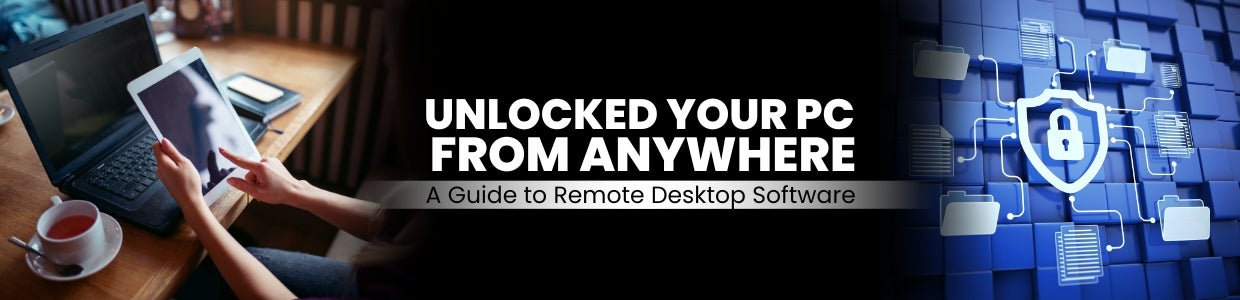
Unlocked Your PC From Anywhere: A Guide to Remote Desktop Software
Imagine a situation where you are easily accessing the entire desktop interface of a distant computer on your local device, be it a laptop, tablet, or even a smartphone. Remote desktop technology can break the physical barrier between you and another computer. Now you can control your desktop from anywhere with the help of a remote desktop.
In today?s world of high workforce, we need technology like remote desktops because they give flexibility of work and also help to maintain work-life balance. Remote desktops increase your productivity, and you can easily perform all your tasks in crucial situations. Overall, remote desktop software creates a more adaptable and efficient work environment, perfectly suited for the demands of the modern workforce.
From Here to There: The Steps Involved in a Remote Desktop
The Host Machine: The host machine is desktop software installed and configured for access. This software gives access to another device that you want to connect to for your work.
The Client Device: It?s the devices through which you want to access your distant desktop. This is a device you will use to control the remote computer. It could be another computer, atablet, or a smartphone with a compatible remote desktop app. In this case, you need a device to connect which supports your desktop applications. If you use less RAM and ROM in the client device, you are not able to access the remote desktop.
The Connection: The software which you use, ensures that that software is of good quality and secures a good connection between the two devices, allowing you to see the remote desktop computer?s screen and interact with it using yourmouse,keyboard, and touchscreen.
Advantages of Remote Desktop
Remote Access: The primary advantage of remote desktops is that they give access and control from a remote location. This gives a chance to use it to work from anywhere, whether it?s from home, a different office, or on trips and traveling they only need internet access for connections.
Increase Productivity: With the help of remote desktops users can access their files and applications from anywhere and remote desktops finish the need for physical presence at the office or data center. Through this feature remote desktops increase flexibility and enhance productivity; this is the reason behind users can work seamlessly from various locations without interruptions.
Cost Savings: Remote desktops help to save costs by reducing the need for physical workstations at every location. Instead, users can access centralized resources, which can be more cost-effective to maintain and secure.
Enhance Collaboration: Remote desktops provide you with real-time collaboration between team members, with no need for physical locations. Users can share their screens, transfer files, and work together on the same projects without interruptions.
BYOD (Bring Your Device) support: Remote desktop solutions can enable organizations to support bring-your-own-device (BYOD) policies, allowing employees to use their devices to access corporate resources securely.
Popular Remote Desktop Applications in India
Microsoft Remote Desktop (RDP): Remote Desktop Protocol (RDP) is built into Windows operating systems and provides a secure way to access other Windows computers remotely. It?s majorly used in big organizations because it gives multiple features like multi-monitor setups and audio streaming.
Best features of this software:
This confidential protocol was developed by Microsoft.
Implemented into Windows operating systems.
Added multi-monitor setups and audio streaming
Majorly used in big organizations.
Team Viewer: It?s a cross-platform remote desktop software and this software supports Windows, macOS, Linux, and various mobile platforms.
Best features of this software
Cross-platform compatibility (Windows, macOS, Linux, mobile platform)
Offers features like file transfer, remote control, and collaborative work.
Suitable for both personal and commercial use
Provides end-to-end encryption
AnyDesk: It has a lightweight and fast remote application. Due to its lightweight and fast remote access people prefer it most.
Best feature of this software
Lightweight and fast remote desktop application
Supports various platform
Offers file transfer, remote printing, and unattended access.
Very useful for IT support and remote access.
4. Chrome Remote Desktop: Google provides a freeextension for Chrome users and allows remote access to Chrome browser users only. Additionally, it?s easy to set up and use, making it a popular choice for personal use and small-scale remote access needs.
Best feature of this software
Allows free extension for the Google Chrome browser
Gives remote access to computers running the Chrome browser
It?s easy to use and does not have a complex setup.
It's popular for personal and small-scale remote access needs.
Why Traditional Desktops Still Have Some Value: Security Concern in the Era of Remote Access
In the era of best technology adoptions some company still prefers traditional desktops in their organizations because of security concerns, we all know that remote desktop gives remote access, increase productivity, and save costs but remote desktops are only concerned regarding security because if you give access of your data and applications to other through remote desktops then it?s a high chance of company data leaks, so that is the reason still maximum company uses traditional desktop and not gives access to all employees for their important data.
Data security and privacy: When we use remote desktops then we send data or confidential information over the internet and its a high chance for hackers to hack confidential data from other data centers. On the other hand, traditional desktops keep data locally, reducing the risk of data breaches or unauthorized access during transmission.
Compliance and RegulatoryRequirements: Some organizations may have strict rules and regulations regarding data access and security. Normal desktops ensure you do not breach confidential data. And traditional desktop provides you with a more secure option for sensitive data handling.
Insider Threats: Remote desktops create a chance of external threats, they may increase the risk of insider threats, such as frustrated employees or secret employees who work for your competitors and sometimes government officers also work in organizations for gathering data of organizations, Traditional desktops, with proper physical security measures, can reduce the risks of insider threats.
Top Sellers


 +91 9999049135

